
A member's page
One place to read a member's recent timesheets, planned leave, balances, and access.
Reviewers and up open a member's page.
Admins also see the member's timesheets and manage their leave banks, charge code access, and details. Members see leave balances on their own page only.
Every member has a page that gathers what you need to know about them: their recent timesheets, upcoming leave, leave banks, and what they can charge to. When a question starts with a person rather than a period, start here.
Open a member's page
Open Settings, then Members, and select the member. Everyone can open their own page; what you see on someone else's depends on your role.
Recent Timesheets
The Recent Timesheets card lists the member's last six billing cycles, each with its status badge (Draft, Submitted, Approved, Rejected) and, once submitted, the date it was filed. Six cycles means six of whatever your organization runs: six months on a monthly cadence, about three months of bi-weekly periods. Sub-monthly cycles are labeled with their date range ("May 17 – May 30, 2026"), so two cycles inside one month never read alike.
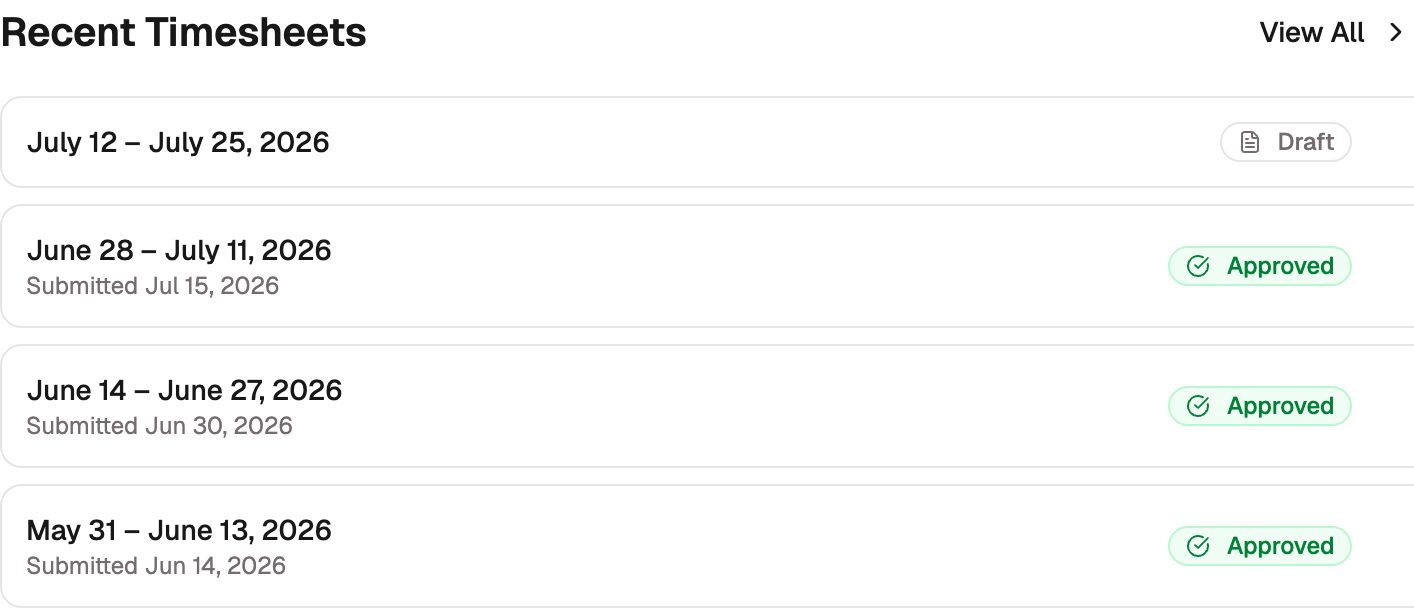
Select a cycle to open it, or View All for the full cycle reviews list.
Planned Leave
The Planned Leave card shows a three-month calendar of the member's upcoming leave, with each marked day labeled by the leave it charges and a summary of the total ("3 days · 24 hrs"). Step between months to look further ahead. Peers see this calendar for teammates on a shared contract period, so coverage planning doesn't require a manager.
Leave banks
The Leave banks card shows every bank the member holds, one row per bank: the name (the seeded bank wears a Default PTO badge), the current balance in hours, and how the member reaches it. A bank covered by their role wears a via … role badge that links to the Permissions page; an individually granted bank shows a remove control instead; and a bank they can no longer use but still hold hours in reads No access — balance remaining until the balance reaches zero. Under the rows, the default bank sums its year: "Paid Time Off this year: 88.37 earned · 134 used".
The card is also where balance work starts. Edit opens the Set leave balances dialog and Adjust opens a manual adjustment. To grant more banks, pick them under Select banks… at the bottom of the card and confirm; each grant is individual, on top of what the member's role covers. The picker only appears while there's a bank left to grant.
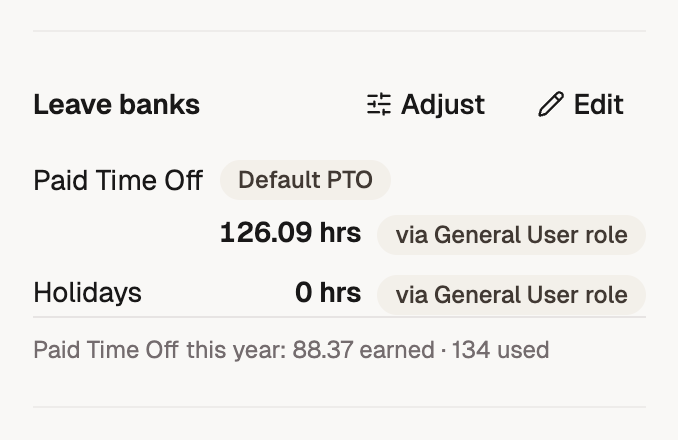
Members see this card on their own page too, trimmed to the balances alone. For a pending member who hasn't accepted their invitation yet, Edit and Adjust stay hidden; their starting balance is part of pre-provisioning.
Charge codes
Two sections in the main column cover what the member can charge:
- Direct charge codes lists their project assignments, one card each with the same controls as the charge code's page: Change hours, Change rate, and Change access start. An assignment whose access start is still ahead carries a not-eligible-yet warning.
- Indirect charge codes opens with what their role covers ("Through the General User role: …") and what was granted individually, then lists every code they can reach with a via … role or Individual grant badge. Select Grant Access to add a code beyond their role; the picker only offers codes the role doesn't already cover. See Indirect code access.
Everything else
The Edit menu holds every change you can make to the member. See Editing a member's details.