
How review works
The path a timesheet takes from submitted to approved, and who moves it along.
Review is how your team's hours become a record you can stand behind. Each pay period, your members submit their timesheets and they land in one place for you to check, approve, and close out. This page is the map: the states a timesheet passes through, where you do the work, and which of your people can do what.
A timesheet's journey
A timesheet carries a status that tells you exactly where it sits. Most move in a straight line from Submitted to Approved, but you can send one back or reopen one when a correction is needed.
| Status | What it means | What you can do |
|---|---|---|
| Draft | The owner is still entering hours. Not in your queue yet. | Send a reminder to nudge submission. |
| Submitted | Filed for review and locked for the owner. | Mark reviewed, approve, or send back. |
| Reviewed | A reviewer has looked it over, but it isn't final. | Approve, send back, or reset. |
| Approved | Signed off, with a PTO checkpoint recorded. | Reset to submitted to reopen it. |
| Rejected | Sent back with a reason. The owner is notified. | Wait for the owner to fix and resubmit. |
| Edit unlocked | Reopened for the owner after an approved edit request. | Reset to submitted once they're done. |
Members who were expected to file but never opened a timesheet show as Not started, so a gap never hides.
Where review happens
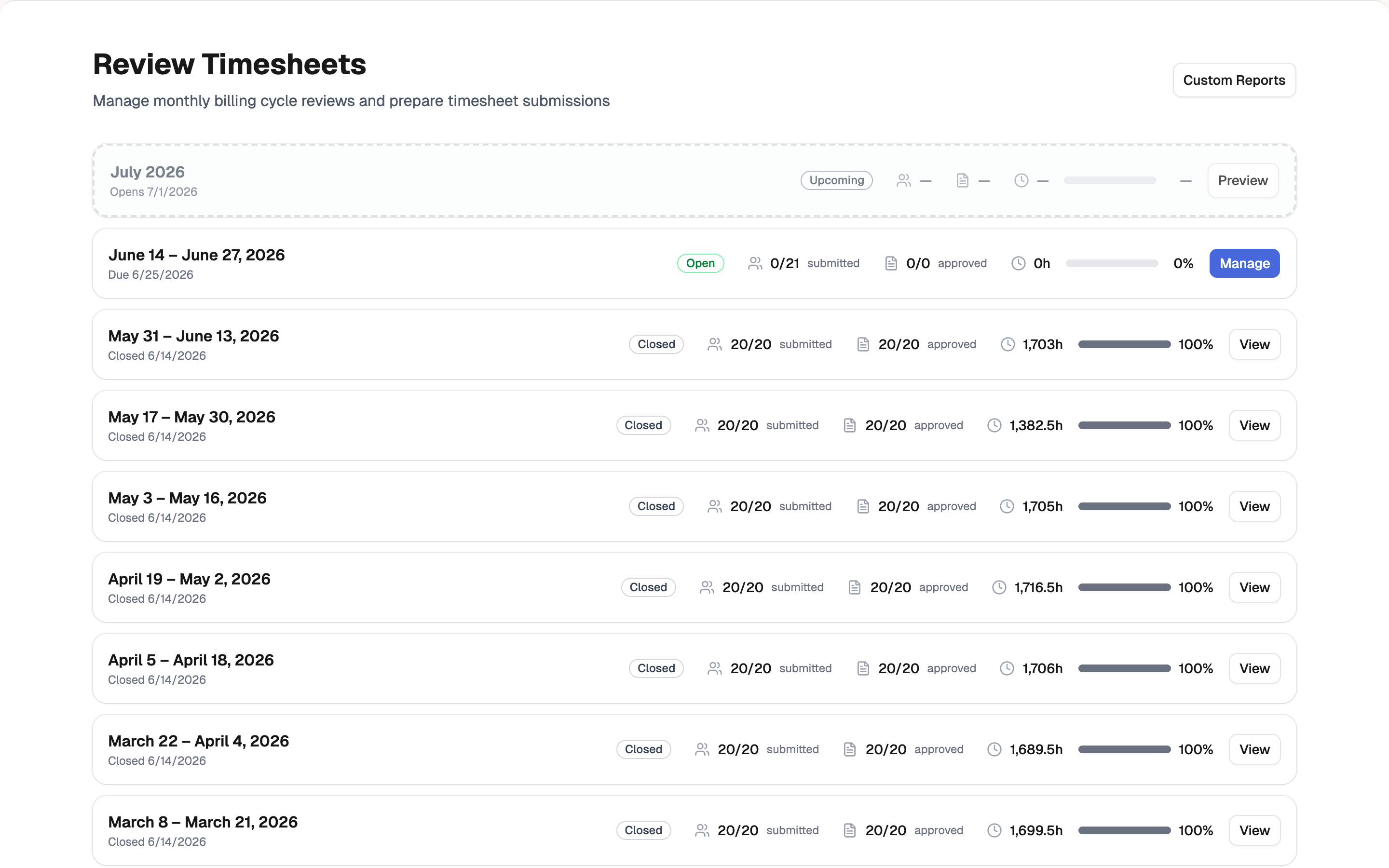
All of this lives under Cycle Reviews. A cycle is one pay period bundled together: every member's timesheet, the anomalies BadgeOut flagged, each timesheet's BadgeOut Rating on the Plus plan, and the submission progress, on a single screen. Open it from Review Timesheets in the Management menu.
Each cycle carries its own status:
- Open is the working state. Members can still enter time, and you review and approve.
- Closing locks entries while you finish the last approvals.
- Closed seals the period and syncs it to your accounting system. If a correction surfaces later, an administrator can reopen the cycle with a documented reason.
Who can do what
Review is split across roles so sign-off means something. A reviewer can vet hours, but approving and closing sit higher up.
| Action | Reviewer | Manager | Administrator |
|---|---|---|---|
| Mark as reviewed | Yes | Yes | Yes |
| See BadgeOut Ratings (Plus) | Yes | Yes | Yes |
| Approve | — | Yes | Yes |
| Send a timesheet back | — | Yes | Yes |
| Reset to submitted | — | Yes | Yes |
| Approve in bulk (Plus) | — | Yes | Yes |
| Handle edit requests | — | Yes | Yes |
| Close a cycle | — | — | Yes |
| Reopen a closed cycle | — | — | Yes |
Reviewer access isn't scoped to a team. Anyone with the reviewer role or higher sees every timesheet in the period, so a small group can cover the whole organization. For how roles are assigned, see Roles and permissions.