Resetting your password
Locked out or forgot your password? Reset it from the sign-in screen and get back to work.
Forgot your password, or can't get past the sign-in screen? You can reset it yourself in a couple of minutes, without waiting on anyone. BadgeOut emails you a link to set a new one.
Reset a forgotten password
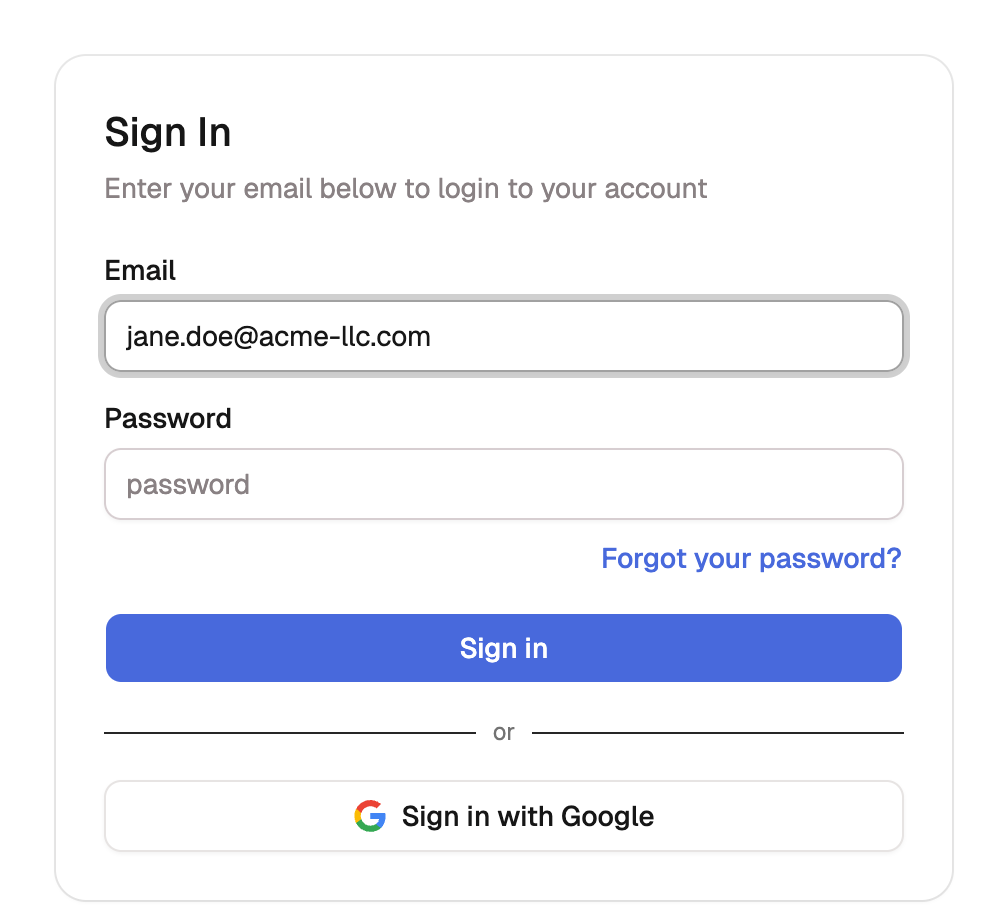
- Open the sign-in screen and enter your Email.
- Select Forgot your password? (it stays greyed out until you've typed your email).
- Check your inbox for an email titled Reset your BadgeOut password and select Reset Password inside it.
- On the page that opens, enter your New Password, type it again under Confirm Password, and select Reset Password.
- BadgeOut confirms the change and sends you back to the sign-in screen. Sign in with your new password.
Resetting signs you out everywhere
For your security, a password reset ends every session on every device. After you reset, sign back in with your new password wherever you use BadgeOut.
Didn't get the email?
- Check your spam or junk folder. The email comes from
notifications@badgeout.io. - Make sure you used your BadgeOut sign-in email. The address you enter has to match the one on your account.
- The link expired. Reset links are good for a short window. If yours opens an Invalid Link page, select Back to sign in and request a fresh one with Forgot your password? again.
If you sign in with Google
If you get into BadgeOut with Sign in with Google, you don't have a password to reset, so keep using Google. Want an email-and-password option as a backup? Use Forgot your password? on the sign-in screen to set one for the first time.
Already signed in?
If you still know your password and want to change it, there's no need to reset. Change it from your account instead, under Your account → Security.