Charge codes in a contract period
Create direct charge codes scoped to a period and set how they bill, round, and budget.
Direct charge codes are scoped to a contract period: they're the billable buckets your team logs against for that stretch of the contract. This page covers creating and configuring them. For the member's-eye view of what a charge code is and how hours land on one, see What are charge codes?.
Direct and indirect codes
BadgeOut has two kinds of charge code, and the difference decides where each one lives:
- Direct codes are billable to the contract and scoped to a contract period. You create them inside the period, and they're what this page is about.
- Indirect codes are non-billable overhead (PTO, holidays, administrative time) that isn't tied to a single contract. They belong to the organization, not a period, so members reach them through their role or an individual grant rather than by assignment.
Because a direct code is scoped to a period, you create it from the period rather than from a global list.
Add a charge code to a period
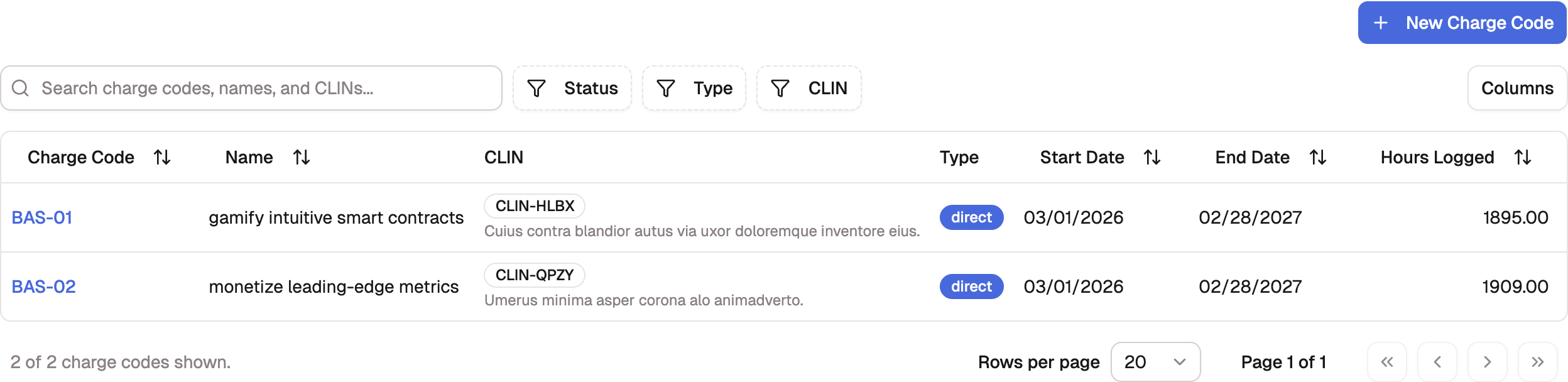
- Open the contract period and select the All Charge Codes tab.
- Select New Charge Code. The direct-code wizard opens with the project and period already chosen, landing on its Charge code step.
- Work through the remaining steps and confirm on Review.
The wizard runs five named steps — Project, Charge code, Members, Hours & rate, and Review — with a progress rail above the form marking which are done and which are ahead. Starting from Charge Codes in the Management menu instead opens the same page from the top: a Charge code type chooser first (Direct enters the wizard at its Project step; Indirect opens the indirect form), then the same steps.
Set the code's attributes
A charge code carries a handful of fields that control how it bills and how time rounds:
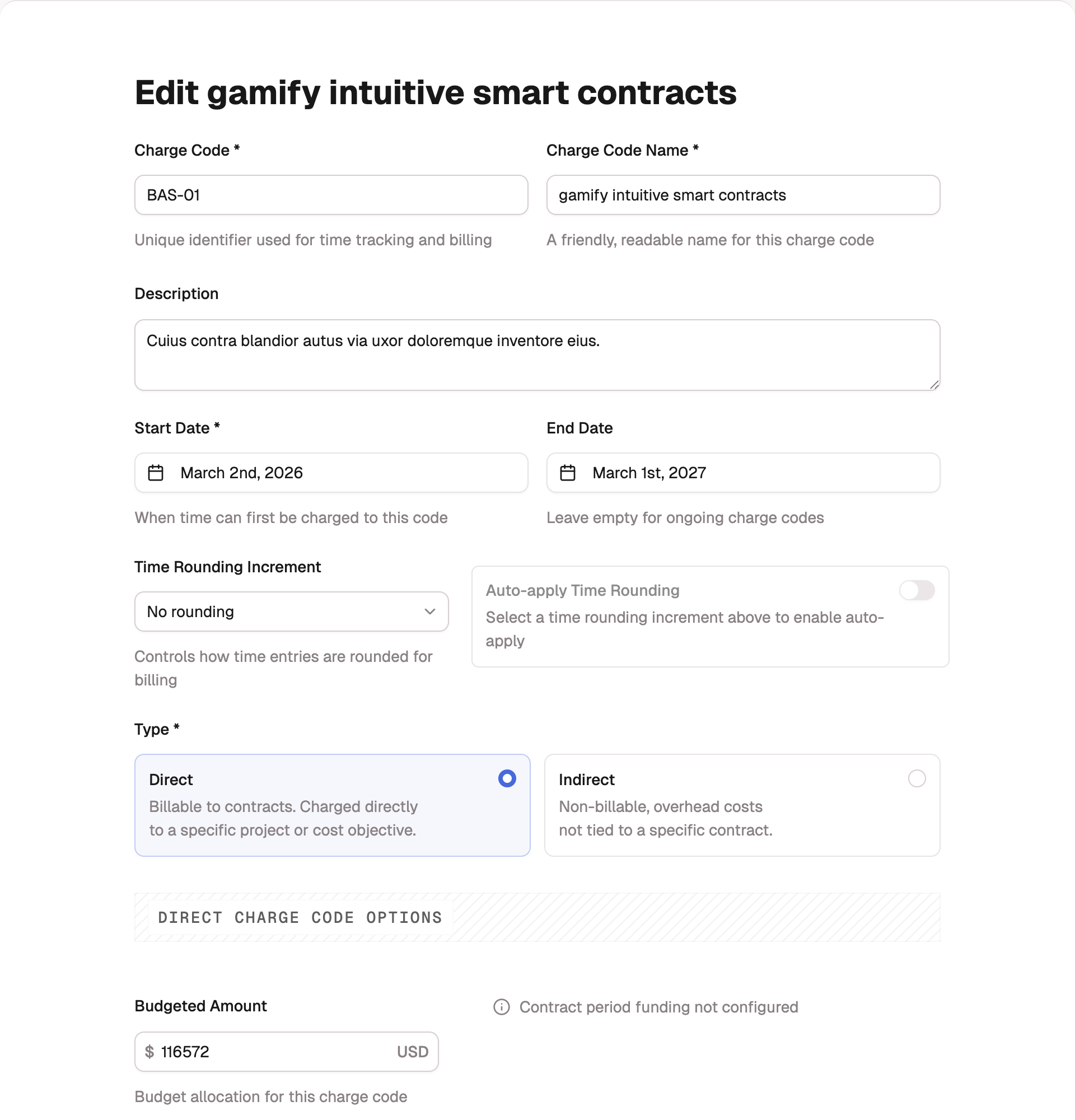
- Charge code is its identifier, used for time tracking and billing (for example, PROJ-001).
- Charge code name is the friendly, readable label members see.
- Start date is when time can first be charged to the code. End date is optional; leave it empty for an ongoing code.
- Time rounding increment controls how entries are rounded for billing: none, 5, 6 (0.1 hour), 10, 15 (the 7-minute rule), or 30 minutes. Turn on Auto-apply time rounding to round members' entries as they log them.
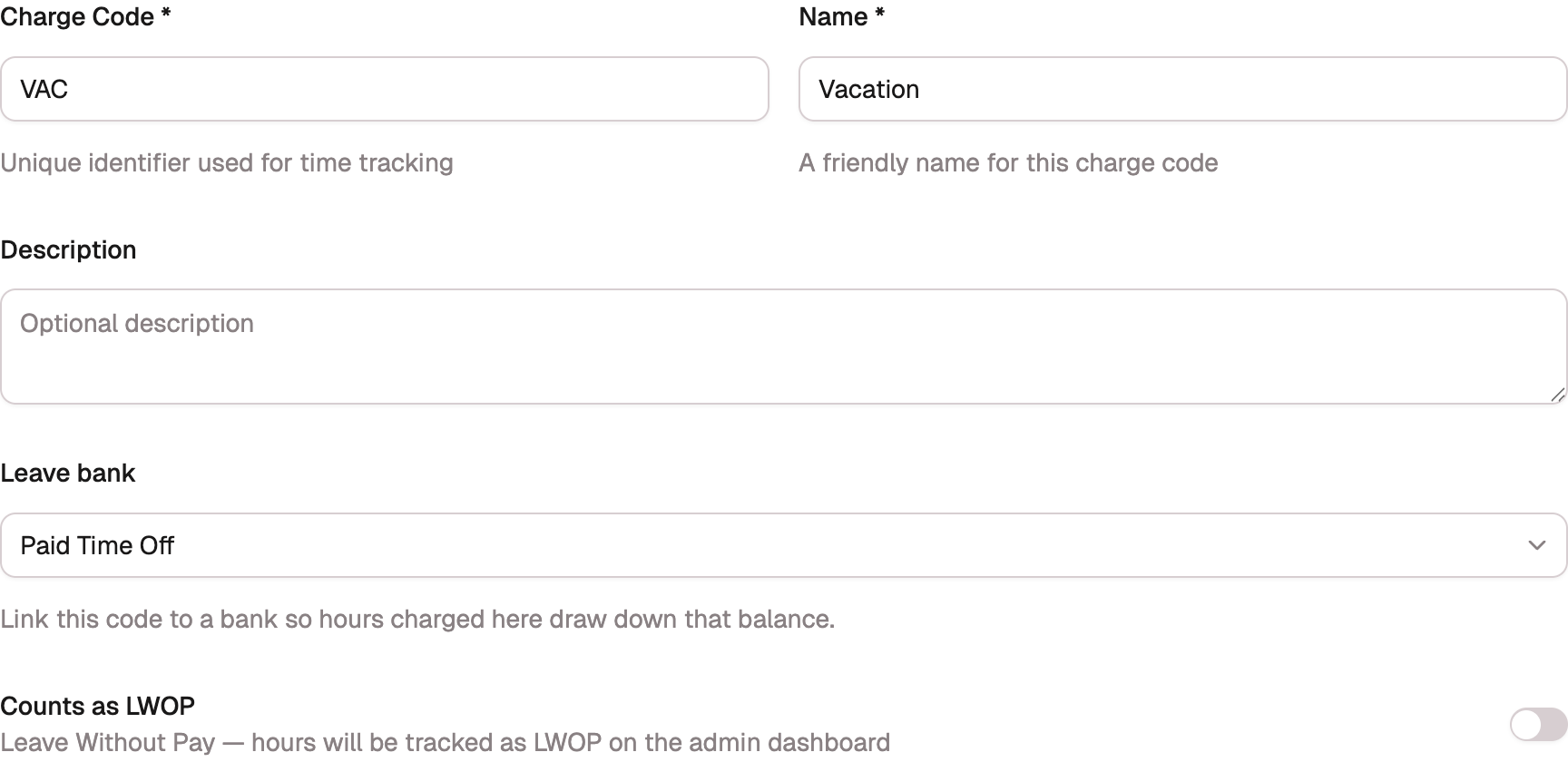
- Type marks the code Direct or Indirect, chosen up front when you create it. Direct codes expose billing options; indirect codes instead expose Counts as LWOP and a Leave bank field. Choosing a bank makes the code a spend code for that bank, so hours logged to it draw the bank's balance down; leave it as None for indirect work that isn't leave, like Overhead. Only indirect codes can carry a bank, and a linked code can't be switched to direct with the bank still attached. See Leave banks.
- An indirect code's form ends with Who can charge this code: one checkbox per role, all checked by default, plus an Individual members (optional) picker for people granted the code beyond their role. That choice is made at creation; afterwards, access is managed from the Permissions page or the code's own page, never rewritten by a later edit. See Indirect code access.
Budgeted amount and period funding
A direct code can carry a Budgeted amount, the slice of the period's funding you intend it to consume. As you set it, BadgeOut shows how much of the contract period's funding is still available and warns you if the budget would overrun what's left.
A budgeted amount is a planning figure, not a hard stop. Members can still log time against the code past its budget; the overrun shows up in your funding and burn views so you can act on it. See Funding and burn.
A new direct code has nobody assigned to it yet. Members get access through assignments that carry their hours and rate, which is the next page.