Personal leave banks
Members now see only the leave banks they can spend from, and one access model decides who is in each bank.
Some organizations run more than one PTO policy, such as a four-week plan alongside a five-week plan, a tier that opens at a tenure milestone, or a carve-out for one contract. Until now every member in those organizations could see every bank on their timesheet, whether or not they could spend from it. In this release a member's leave banks are the ones they can actually use, and administrators get one model for deciding who is in each bank.
Your banks, not the whole catalog
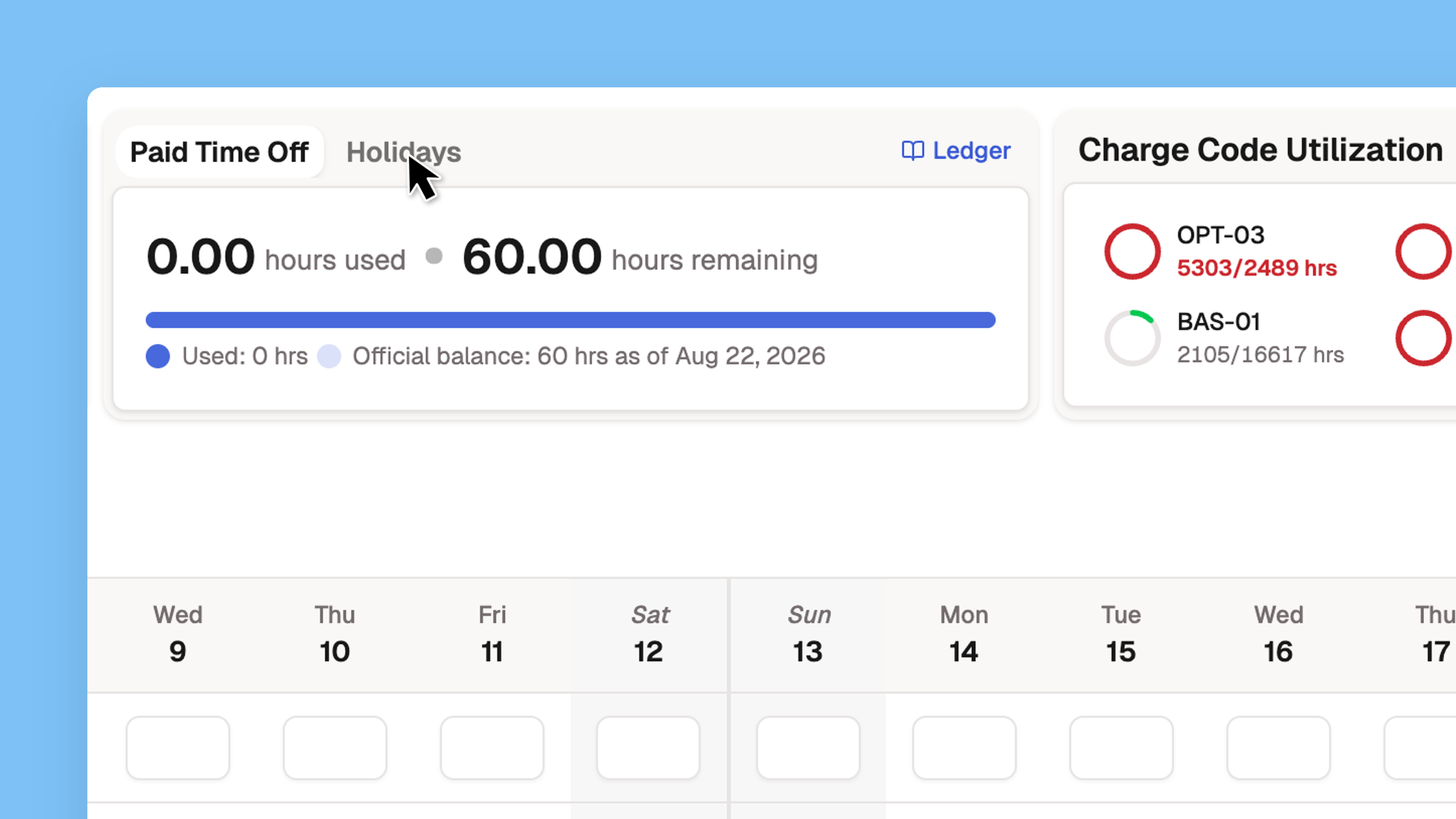
The timesheet's leave balances card, the leave picker, and accrual now follow one rule. A member sees a bank, and accrues in it, only if they can spend from it. A bank they still hold hours in stays visible, read-only, until the balance reaches zero, so hours never disappear. Management screens keep the organization-wide list, and dashboard capacity deducts each member's own banks instead of charging every bank's accrual to everyone.
If your organization runs a single PTO bank for everyone, which is the common setup, nothing changes. Everyone keeps seeing it, the same as before.
Read about who can use a bank →
One access model
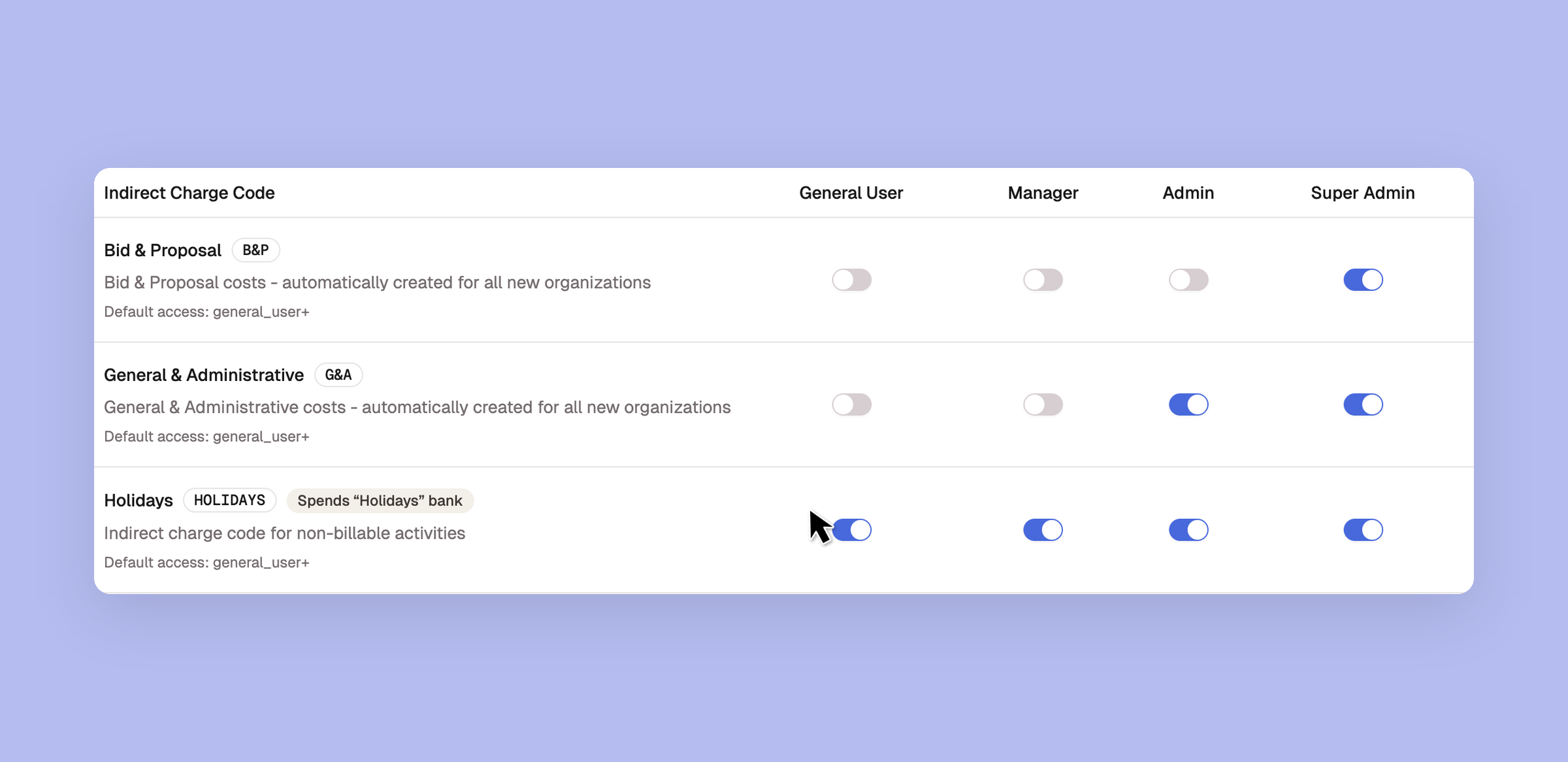
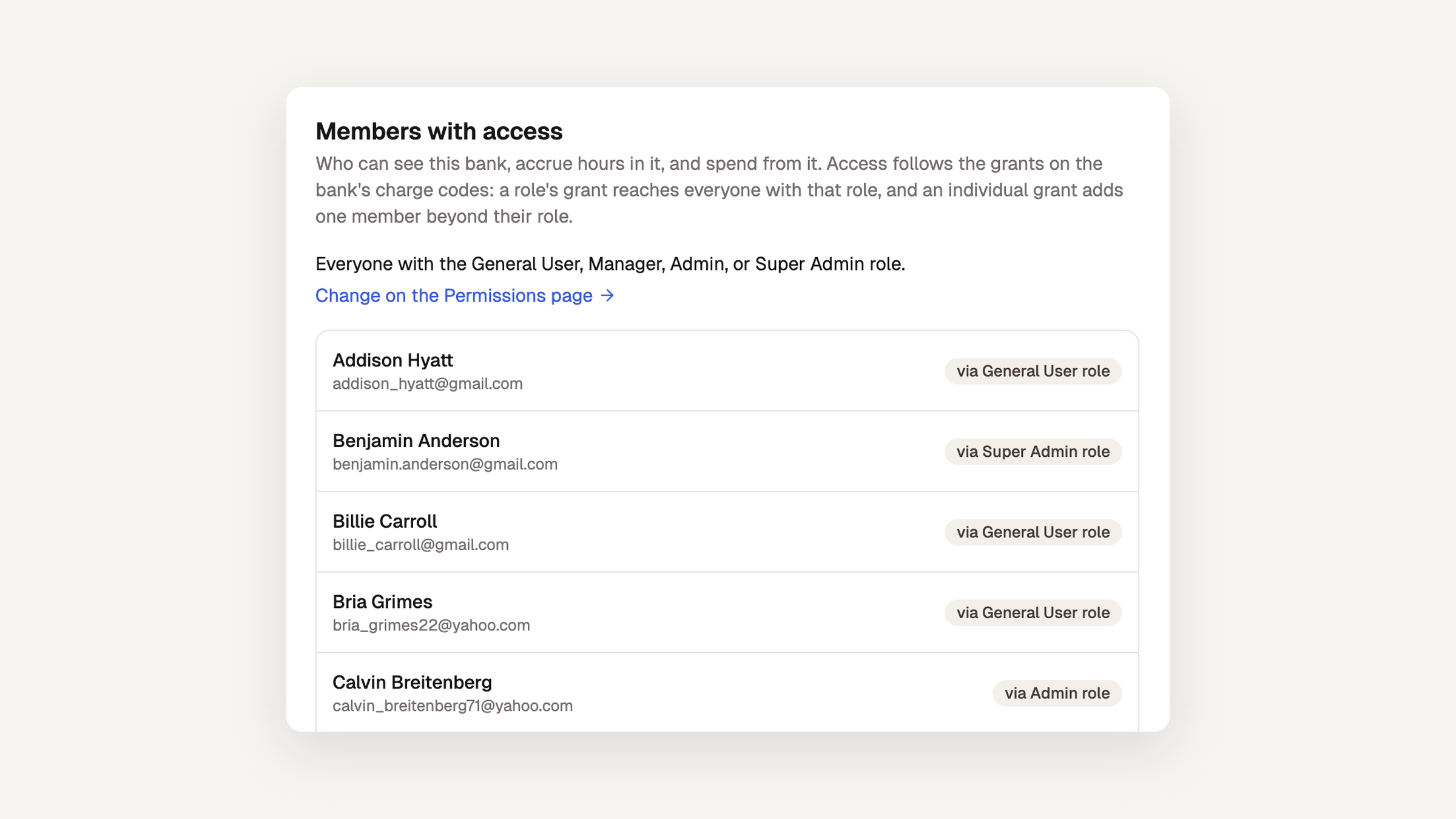
A member reaches a leave bank in one of two ways, through their role or through an individual grant, and never both. Every screen now describes access the same way. A bank's edit page ends with a Members with access card that lists everyone who reaches the bank and how they got there. The member page separates role coverage from individual grants. The Access Matrix under Settings → Permissions badges each bank-linked code with the bank it spends from, such as Spends “Paid Time Off” bank.
Saving a charge code no longer quietly re-grants a role you turned off, and detaching a code from a bank keeps its holders. Time entries follow the same rule: hours can only be logged against codes the member actually has, including when an administrator enters them on a member's behalf. The per-bank Grant new members by default switch is gone, because a new member's day-one banks are the ones their role can spend from.
Read about the Access Matrix →
Enrollment starts at the invite
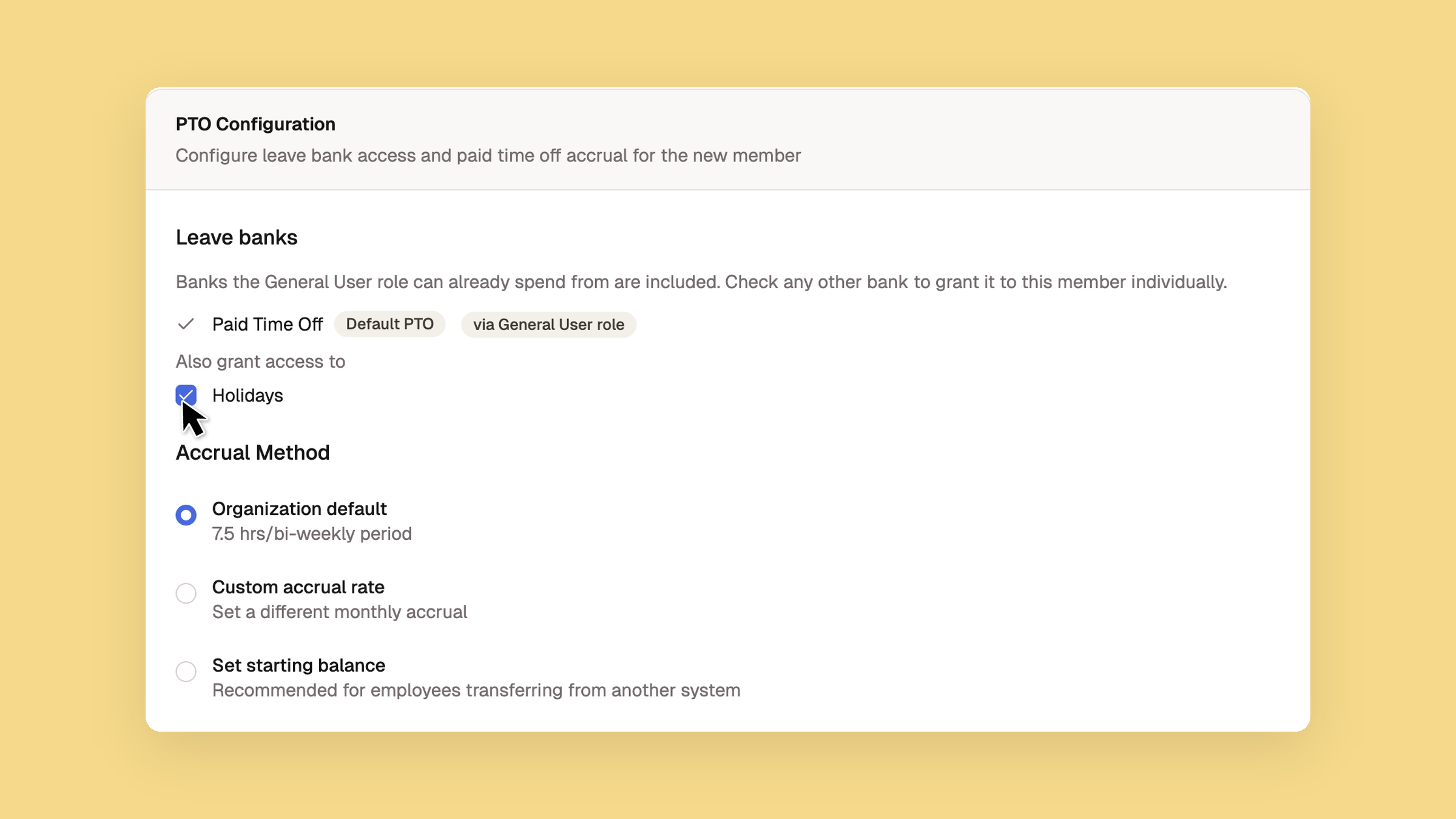
The invite form's Leave banks checklist reads from the role you choose. Banks the role already covers show as included and marked via … role, and the list re-derives if you change the role mid-invite. Any other bank sits under Also grant access to. Checking one grants it to that member individually, with an optional starting balance as of the same date as their PTO balance. Bulk entry, CSV import, and the pre-provisioning API follow the same rule and no longer write a grant the role already covers, so there is no cleanup pass after the invite.
One Leave banks card on the member page
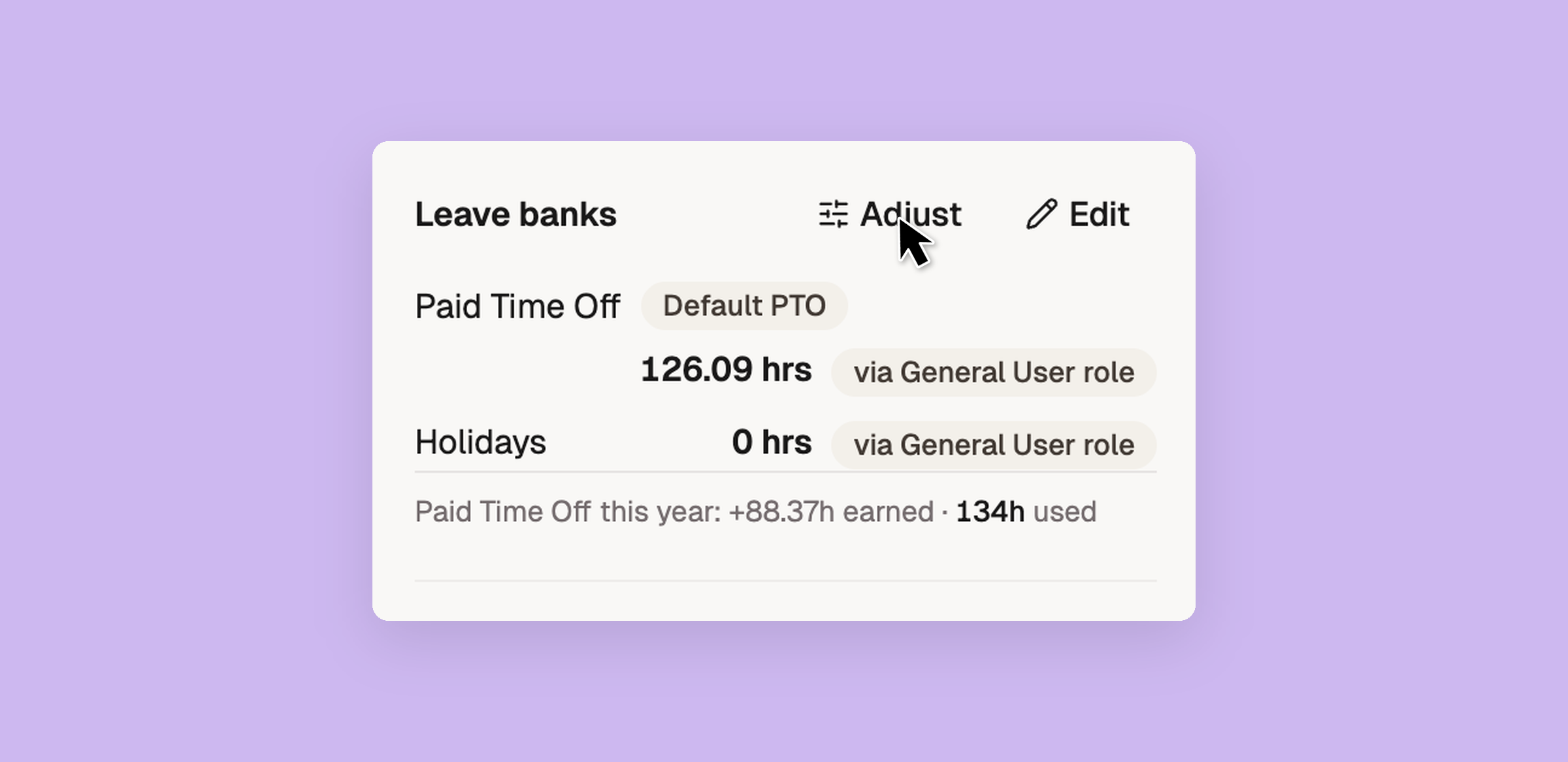
The member page's sidebar now has a single Leave banks card in place of separate balances and banks cards. Each row shows the bank, the member's balance, and how they reach it, with Edit and Adjust above the rows and a picker below them for granting more banks. Adjust a balance directly when the ledger and the real world disagree, such as a negotiated carry-over, a correction, or a transferred hire. Every adjustment lands in the audit history with who made it and why. A member looking at their own page sees the balances alone.