
Closing a cycle
Seal a finished pay period, run the compliance checks, and sync it out.
Closing a cycle is the last step of the period: it seals everyone's approved hours into a final record and hands them off to your accounting system. Because it locks the period, closing is an administrator action, and BadgeOut walks you through a short set of checks before it lets you finish.
Before you can close
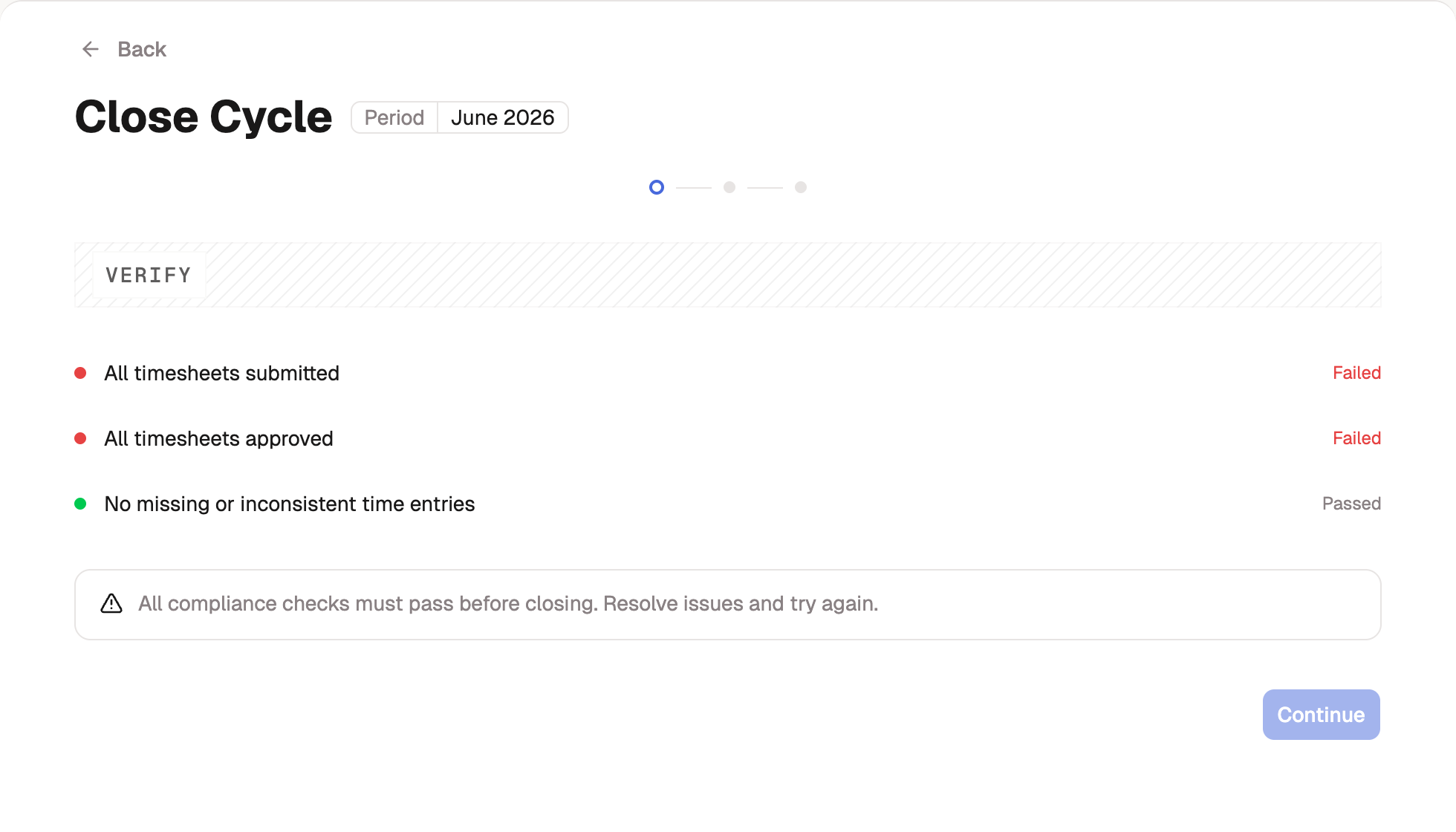
A cycle closes only when its work is done. Every timesheet has to be Submitted and Approved first. Until then the Close Cycle button stays disabled, and hovering it explains why ("Cannot close cycle yet"). Clear the queue, chasing any stragglers with reminders and approving what's left, and the button opens up.
Walk through the close
From the cycle, select Close Cycle to start a three-step review.
- Compliance Verification. BadgeOut runs its checks: all timesheets submitted, all timesheets approved, and no missing or inconsistent entries. Each shows Passed or Failed, and you can't continue until the critical ones pass.
- Review Summary. Look over the period's totals one last time, then continue.
- Final Confirmation. Tick the two attestations: All timesheet data is accurate and complete, and Changes after closing require reopening the cycle. Then select Close Cycle Review.
What closing does
The cycle moves to Closed. The period's entries are sealed so the record can't drift, and BadgeOut syncs the approved hours to your connected accounting system, such as QuickBooks. While a cycle is wrapping up it can show as Closing, which locks entries so nothing changes underneath you as you finish. If the accounting sync itself fails, BadgeOut tells you so you can retry rather than leaving the period in limbo.
BadgeOut checks the period again as the close saves. If another administrator closed the cycle first, or a timesheet stopped being approved (say, an edit request was granted while you were finishing), the close is refused and the message names the reason. Reload the cycle review, check what changed, and close again.
Reopening a closed cycle
Closed isn't forever. When a correction surfaces after the period is sealed (a late edit request, hours filed against the wrong code), you can unlock the cycle, fix the timesheets involved, and close it again.
- Open the closed cycle from Review Timesheets and select Reopen Cycle.
- Enter a Reason for reopening. The reason is required and kept permanently in the cycle's audit history.
- Confirm This cycle must be closed again after corrections. If invoices from the period were already synced, also confirm I'm responsible for reconciling them in my accounting system.
- Select Reopen Cycle Review.
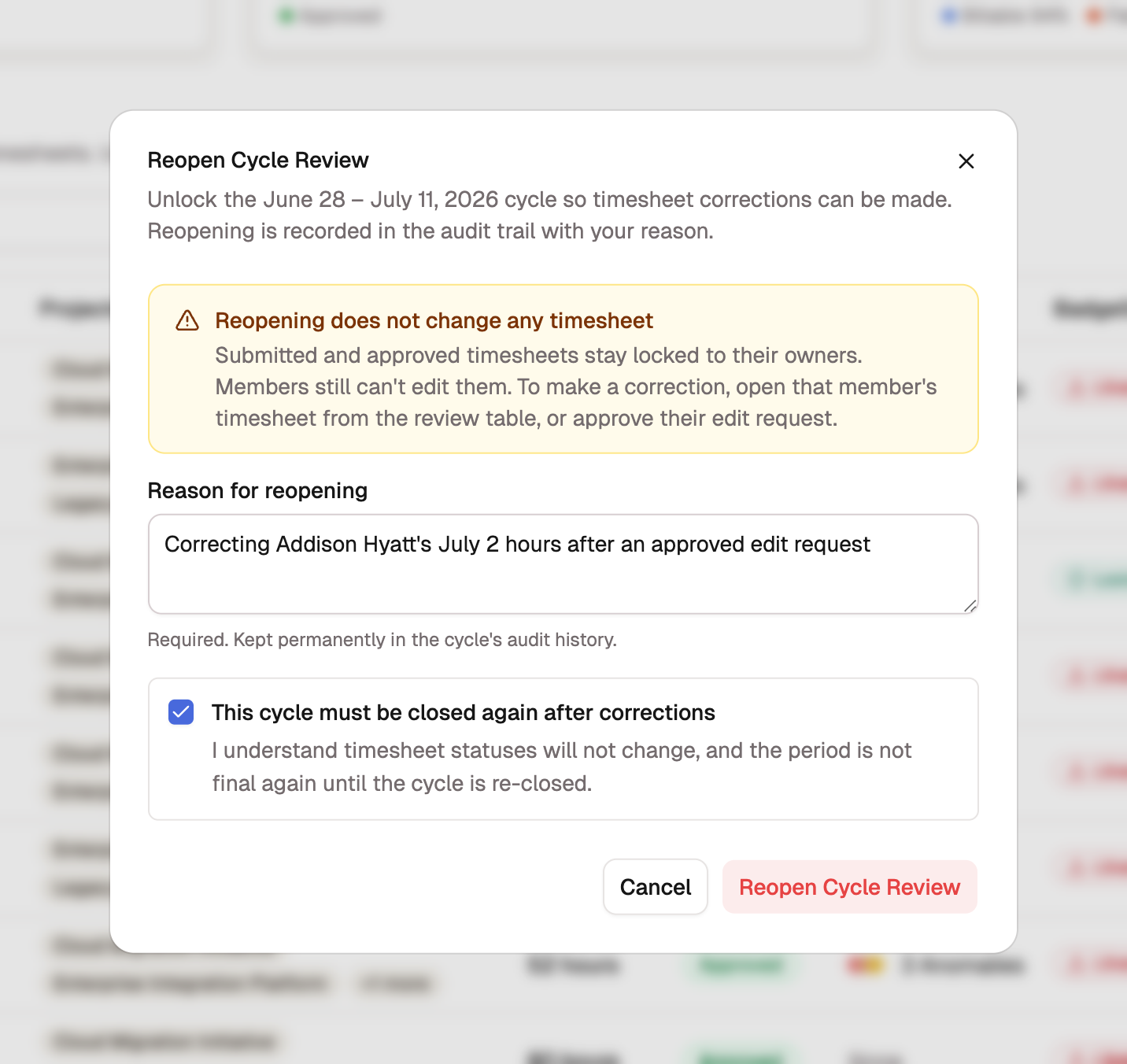
Reopening lifts the cycle-level lock and nothing else:
- No timesheet changes status, and members still can't edit their own. Make corrections by opening a member's timesheet from the review table, or by approving their edit request.
- Invoices already synced to your accounting provider are marked stale. Re-closing the cycle updates them in place; until then they may not match the corrected timesheets, and copies already sent or paid are yours to reconcile in the accounting system.
- The period isn't final again until you re-close the cycle.
Two kinds of cycle can't be reopened: one that was closed administratively, and one whose period no longer matches your organization's timesheet cadence, which covers most cycles closed before a cadence change. On these, Reopen Cycle is unavailable and a line beneath it says why. Contact support to make corrections.