Hours by Member, and holidays for specific people
A new standard report lists the hours each member logged by project and charge code over any date range, and a holiday can now apply to specific members, carry the day it is observed, and copy into next year in one step.
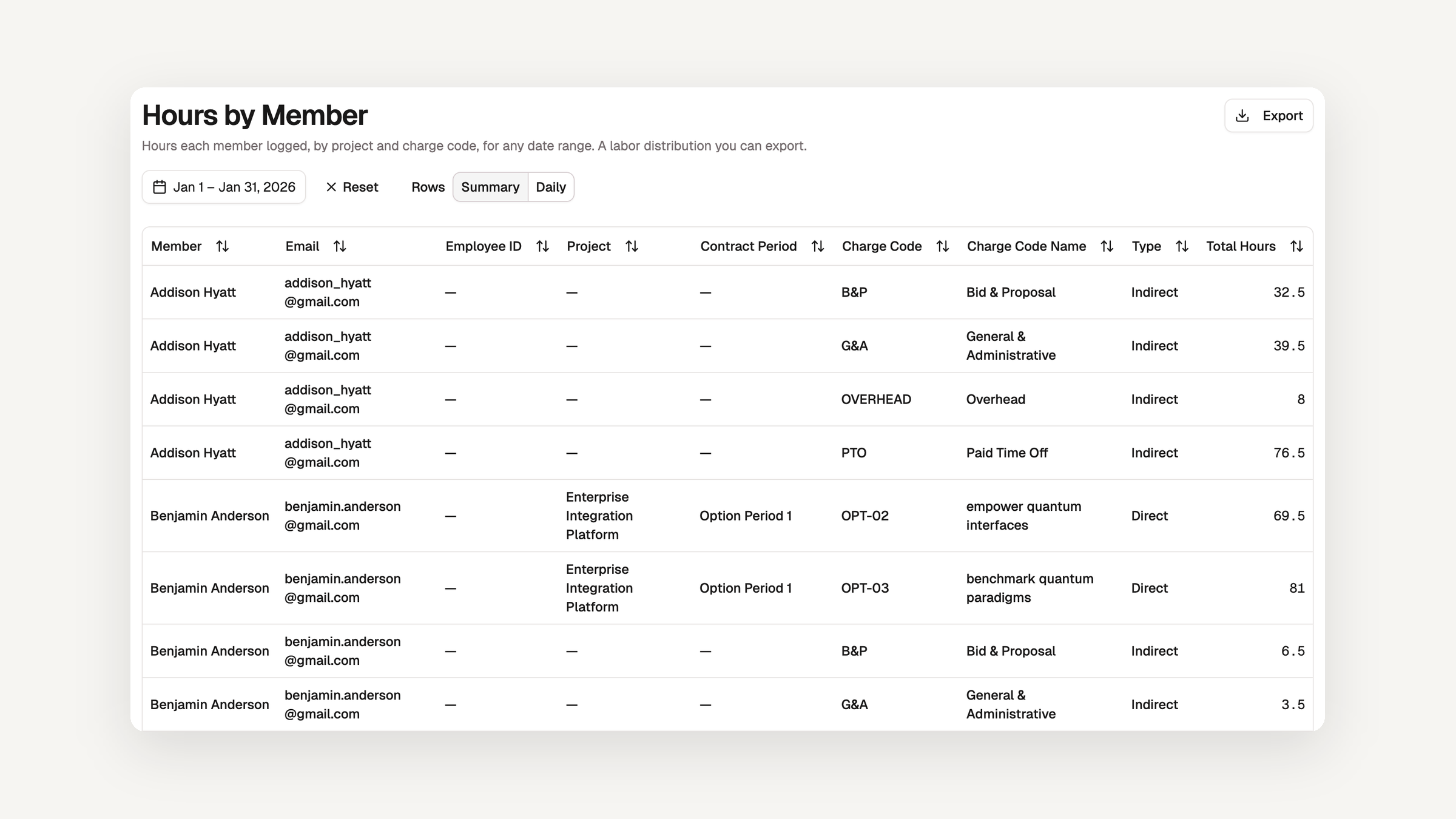
Hours by Member is a new Standard Report, available on every plan. It lists the hours each member logged by project, contract period, and charge code over any date range, with the member's email and Employee ID beside each row and a total at the foot. It is the labor distribution you hand to payroll or an auditor, without building a custom report first.
- The report opens on the previous calendar month. Pick any other range from the header, up to 36 months.
- A Rows control switches between one row per member and charge code (
Summary) and one row per day (Daily, for ranges up to 92 days). The CSV and Excel export follow what the table shows. - Pre-provisioned and archived members are included, and hours on a charge code that was later deleted stay on the member's total, so the report ties out to what was logged.
Holidays for specific members
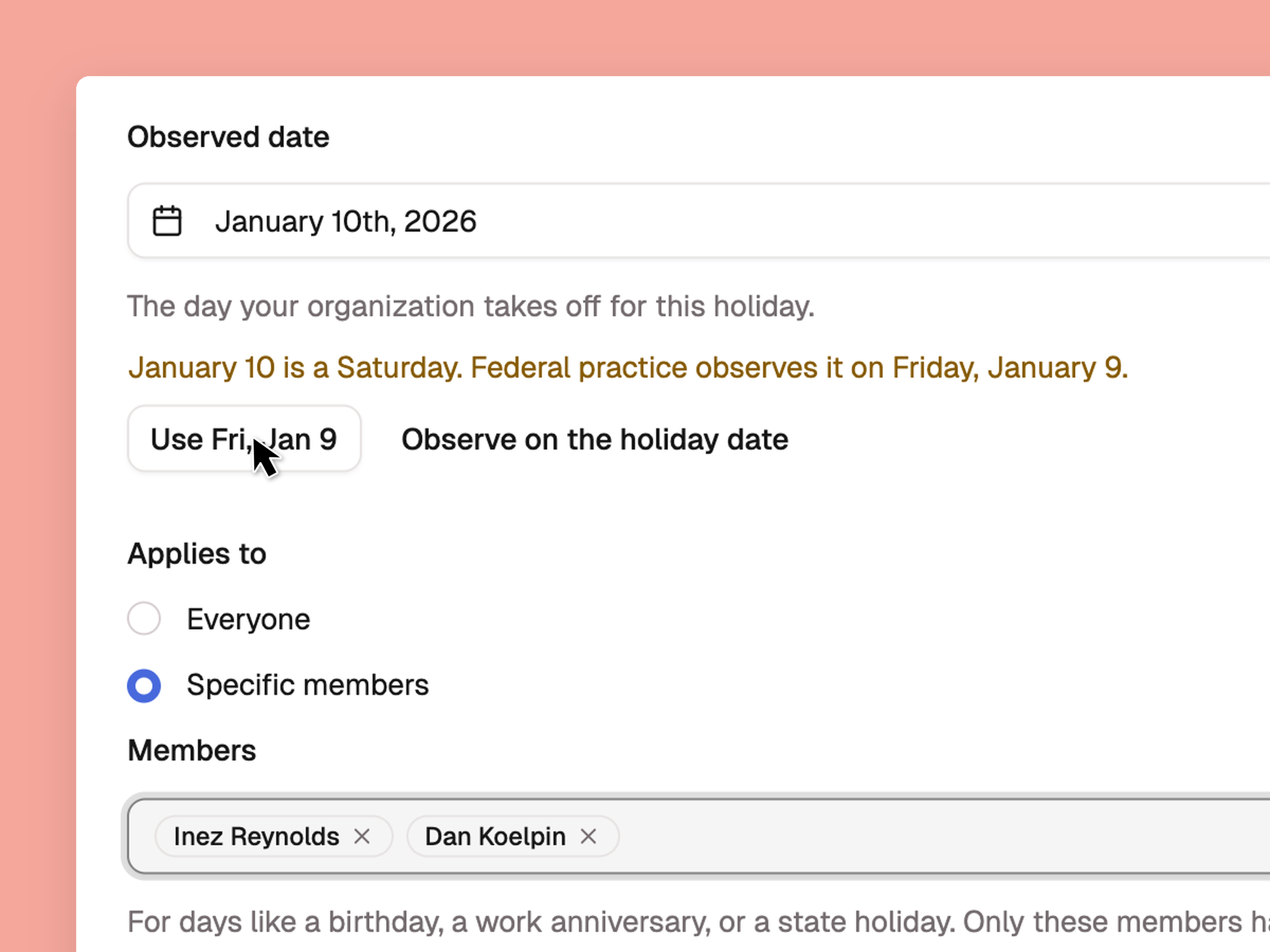
A holiday can now apply to everyone or to a list of members. When you add or edit a holiday, choose Applies to → Specific members and pick who has it. Use it for a birthday off, a work anniversary, a religious observance, a state holiday for the staff in one state, or a client-site closure. Only the members you choose see the holiday on their timesheet, bank hours from it, and have capacity taken off for it — for everyone else the day is an ordinary workday.
A holiday for specific members can say something personal, so its name is shown only to the people it applies to and to the reviewers, managers, and admins who review their time. Everyone else sees Holiday on the team schedule. The holidays list has a new Applies to column, and Save and add another keeps the dialog open for the next holiday, which makes a run of birthdays quick to enter.
Read about managing holidays →
The day a holiday is observed
A holiday now stores the day it is observed, and every part of the app reads it. Independence Day 2026 falls on Saturday, July 4 and is observed on Friday, July 3. Before this release, leave accrual banked the hours for Friday while the timesheet marker, the holiday-work anomaly, the team schedule, and the cycle review all pointed at Saturday, and capacity took nothing off at all. All of them now agree on Friday.
Federal holidays get the federal rule when you import them, and you can change the day if your site observes another. For a holiday of your own that lands on a weekend, the dialog says what federal practice would do and offers it as a button (Use Fri, Jul 3) without filling it in, because which weekday replaces a Saturday is your policy. A holiday your organization created now banks hours when you tell it to, the same as one from the federal list. A weekend observed date banks nothing, and the dialog says so.
Copy recurring holidays to next year
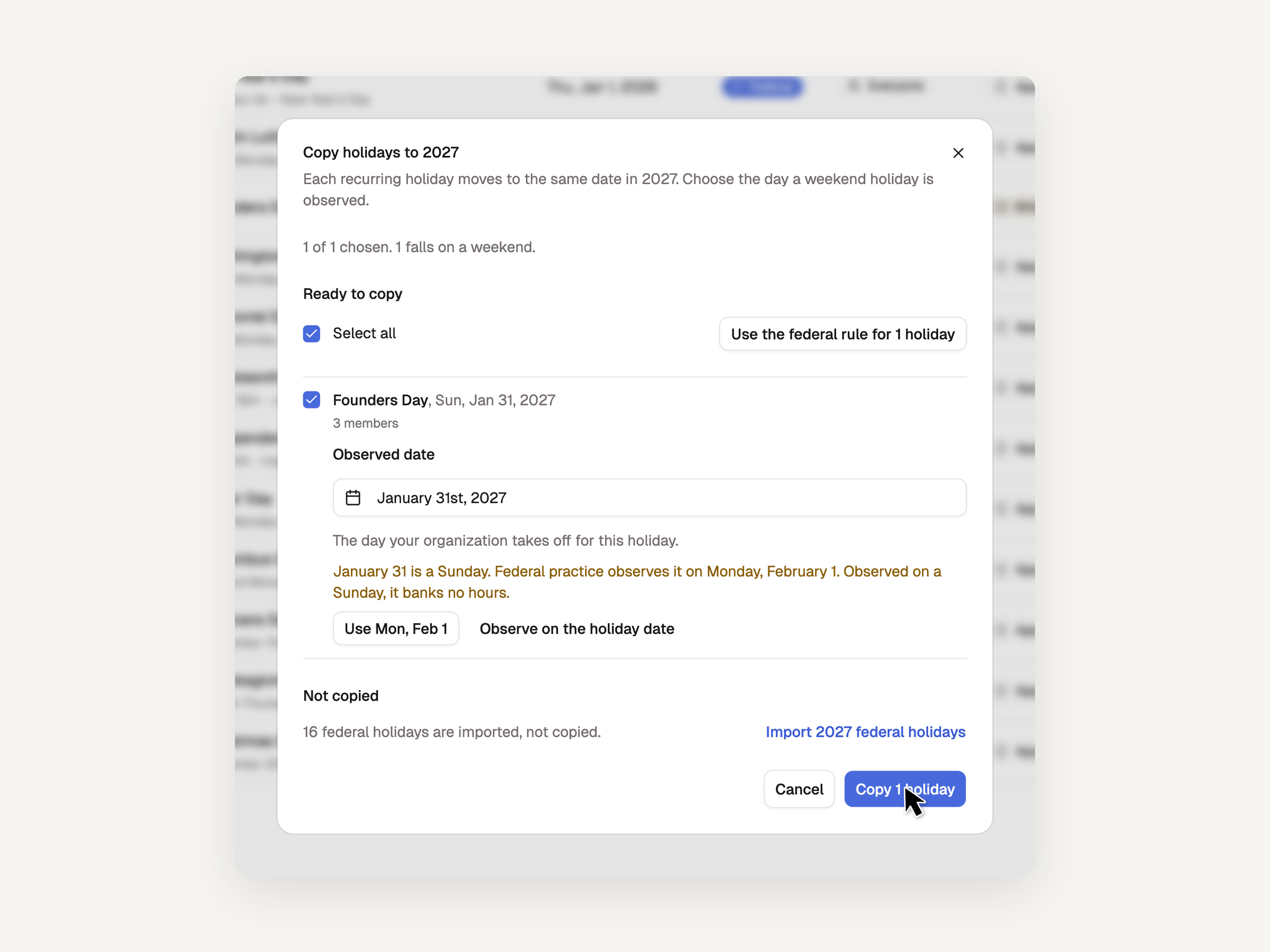
The Holidays settings page has a Copy recurring to next year button. It opens a preview that lists every holiday marked Recurring with its date in the next year, all chosen to start, together with the members each one applies to. Untick the ones you do not want, set the observed day for any that land on a weekend (or take the federal rule for all of them at once), and copy. Holidays that will not be copied are listed with the reason before you confirm, and federal holidays are left to the federal import because their dates move each year. The copy is safe to run more than once.
Bug fixes and accessibility enhancements
This release also continues our accessibility work across the app. The PTO & Holidays sections are now links rather than tabs, so each can be opened in a new tab. Anomaly rules open from a real link, report charts leave the keyboard tab order, the Audit log's filter panel names its categories and open groups, and the team calendar is a table that names each date and who is out. A saved custom report and its editor now have a page heading and announce their loading state.