Backdated rate changes, made easy
Changing a bill rate now previews what the save will do and accepts any date from the access start forward, and every assignment dialog says which of its two dates it changes.
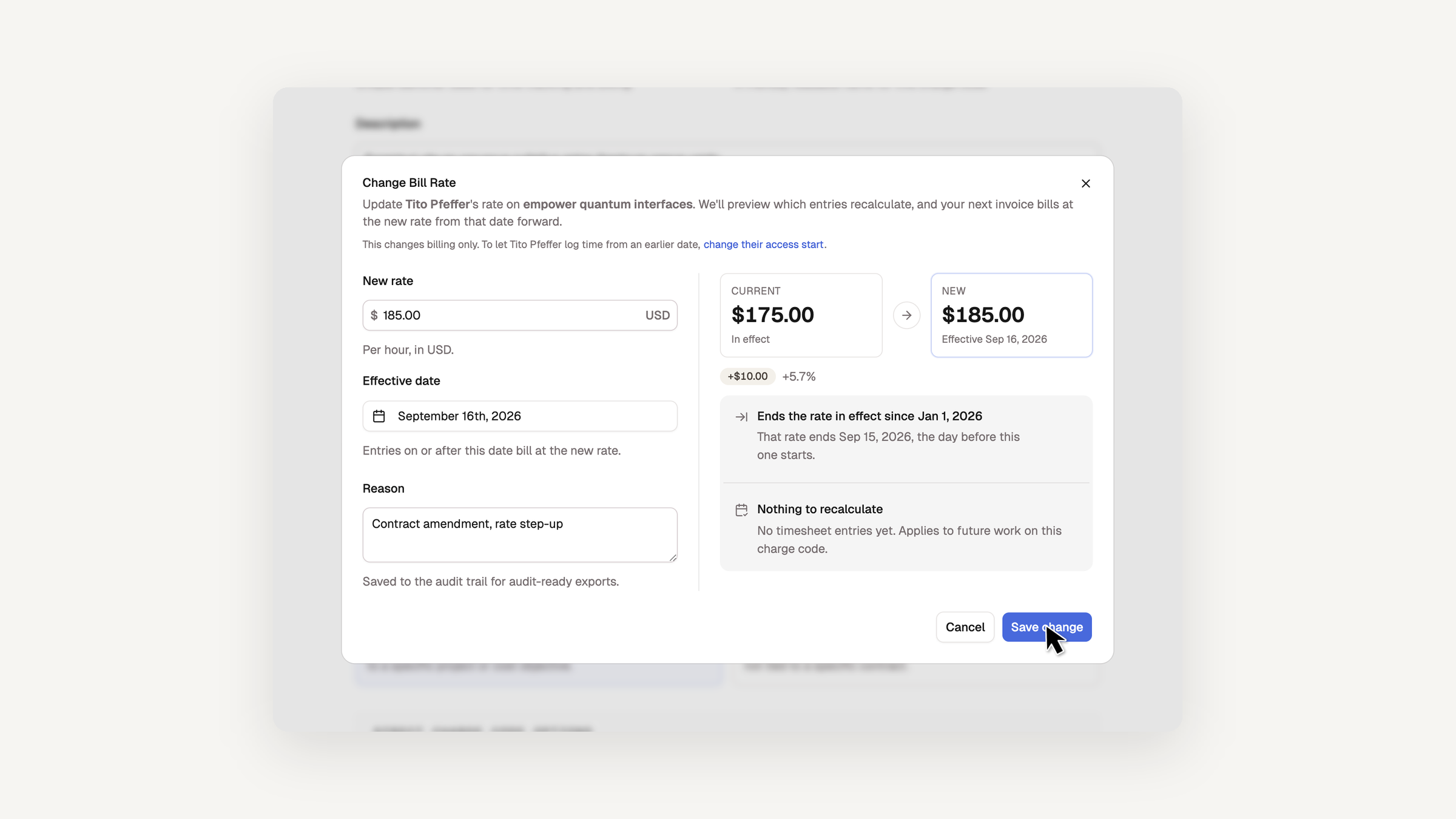
A bill rate change used to fail when its effective date fell on or before the day the current rate started, so a backdated assignment could never be given a rate that covered its whole window. The Change Bill Rate dialog now places every change among the assignment's existing rates and tells you what it will do before you save.
- The dialog is split in two. Fields sit on the left, and a Current → New preview on the right lists the outcome: the current rate ends the day before yours, the same-day rate is replaced and kept in the audit trail, or the new rate fills a gap up to the next scheduled rate.
- The effective date defaults to today, or to the access start when that is still ahead, and the earliest date you can pick is the access start rather than the day the assignment was created.
- A retroactive date shows which unapproved entries will recalculate. Approved entries stay at their original rate, and an invoiced period still blocks the change.
- The member's page now carries the same assignment controls as the charge code page, so you can change hours, rate, or access start from either side.
Access start, named as such
The start of an assignment window is now called the access start everywhere it appears. The assignment card reads Access from or Access starts, its button is Change access start, and each dialog says which of the two dates it changes: Change Bill Rate changes billing only and links to Change Access Start for the same assignment, and Change Access Start says it does not touch the bill rate.
Moving an access start earlier also no longer leaves a silent billing gap. The dialog offers, checked by default, to extend the assignment's earliest bill rate back to the new date in the same save. If the days stay uncovered, the assignment card says No bill rate before … with a Set rate link that opens the rate dialog on the access start.
Bug fixes and accessibility enhancements
This release also continues our accessibility work across the app: sortable tables and column menus now announce their state and name every column, progress bars and rings say what they measure, search boxes and inputs carry real names, and every navigation styled as a button works as a link.