Even faster timesheet reviews with BadgeOut Rating
Every submitted timesheet gets an automatic first-pass verdict with the reasoning behind it, included on the Plus plan at no additional cost.
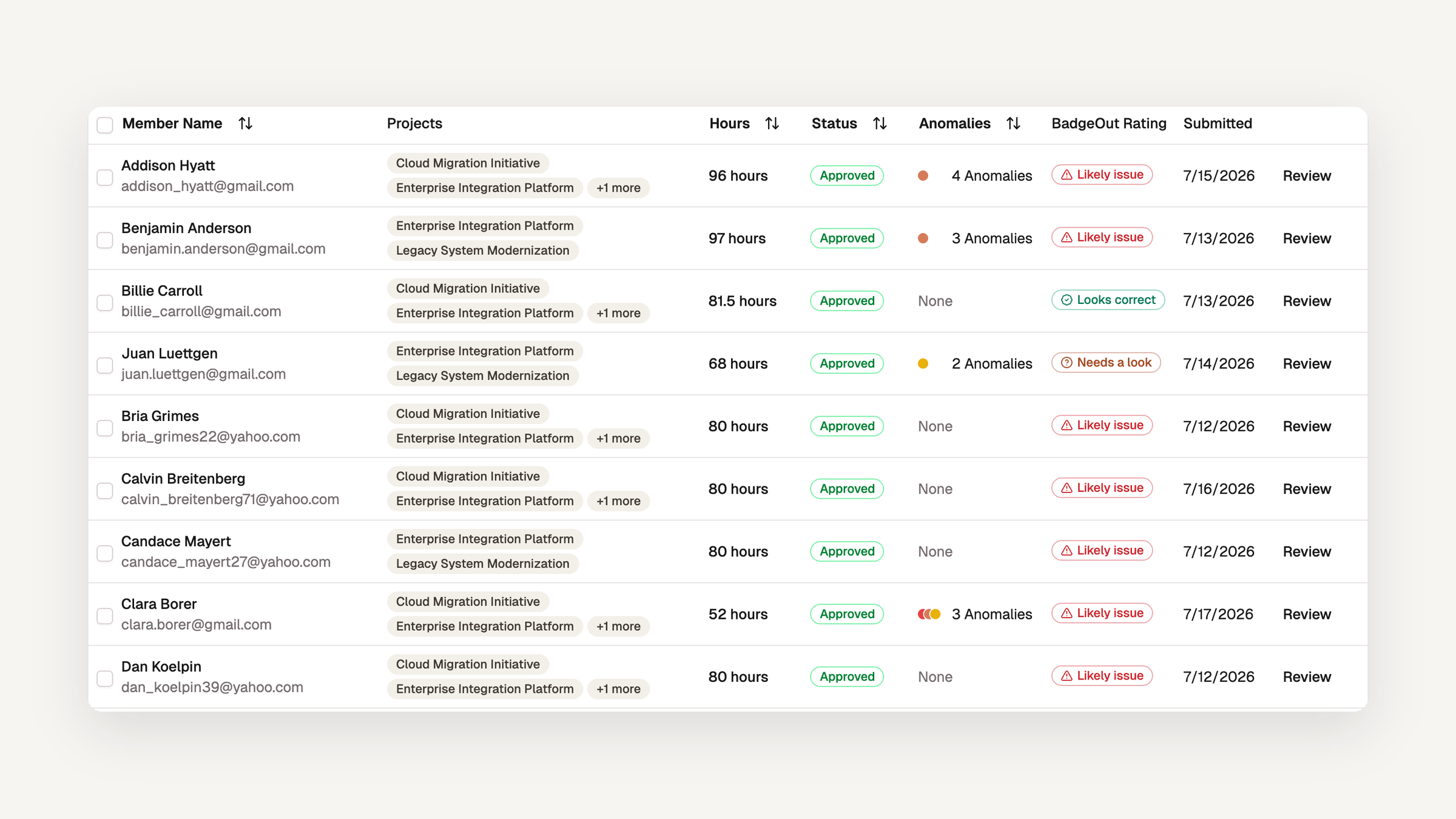
Anomaly rules catch what a rule can name: a 15-hour day, hours on a weekend, PTO stacked on a full shift. They can't tell you that a timesheet is a copy of last period's, or that one charge code just tripled against a member's own history. Finding that has meant opening timesheets one at a time and knowing what normal looks like for each person.
Introducing: BadgeOut Rating.
Every submitted timesheet on the Plus plan now receives a rating from an AI reviewer, along with a short explanation of what it found. The aim is faster review cycles. Each timesheet has already had a first pass by the time it reaches your queue, so you spend your time on the ones that need it instead of reading every one from the top. The rating never approves, rejects, or blocks anything. It shows you which timesheets to open first, and the decision stays with you. It is included on the Plus plan at no additional cost, and it is on by default.
Three verdicts on the review queue
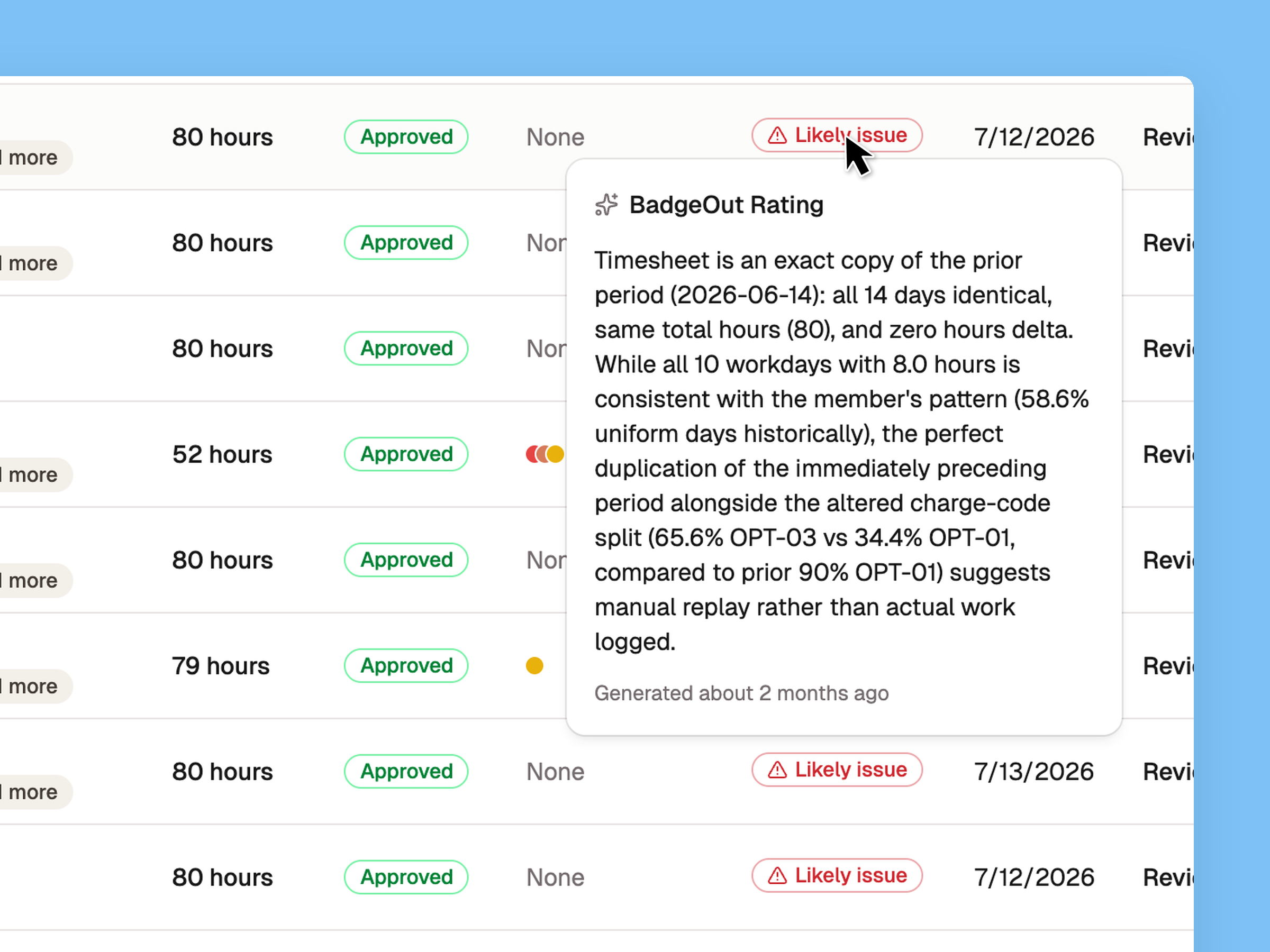
The cycle review queue has a new BadgeOut Rating column. Each submitted timesheet gets one of three verdicts: Looks correct, Needs a look, or Likely issue. Hover the badge to read why, so you can decide what to open first without leaving the list.
The rating weighs the timesheet as a whole rather than one rule at a time: total hours against what the period expects, the charge-code mix, every anomaly your rules flagged, and the member's own approved history, up to six periods back. When that summary isn't enough, it can look up earlier periods and the organization's norms for the same period. It never reads entry descriptions, daily notes, or timesheet notes, and it never sees the member's name.
The rating runs in the background after submission and never delays it. A resubmitted timesheet is rated again, so the verdict you see always matches the hours in front of you.
The reasoning, on the timesheet
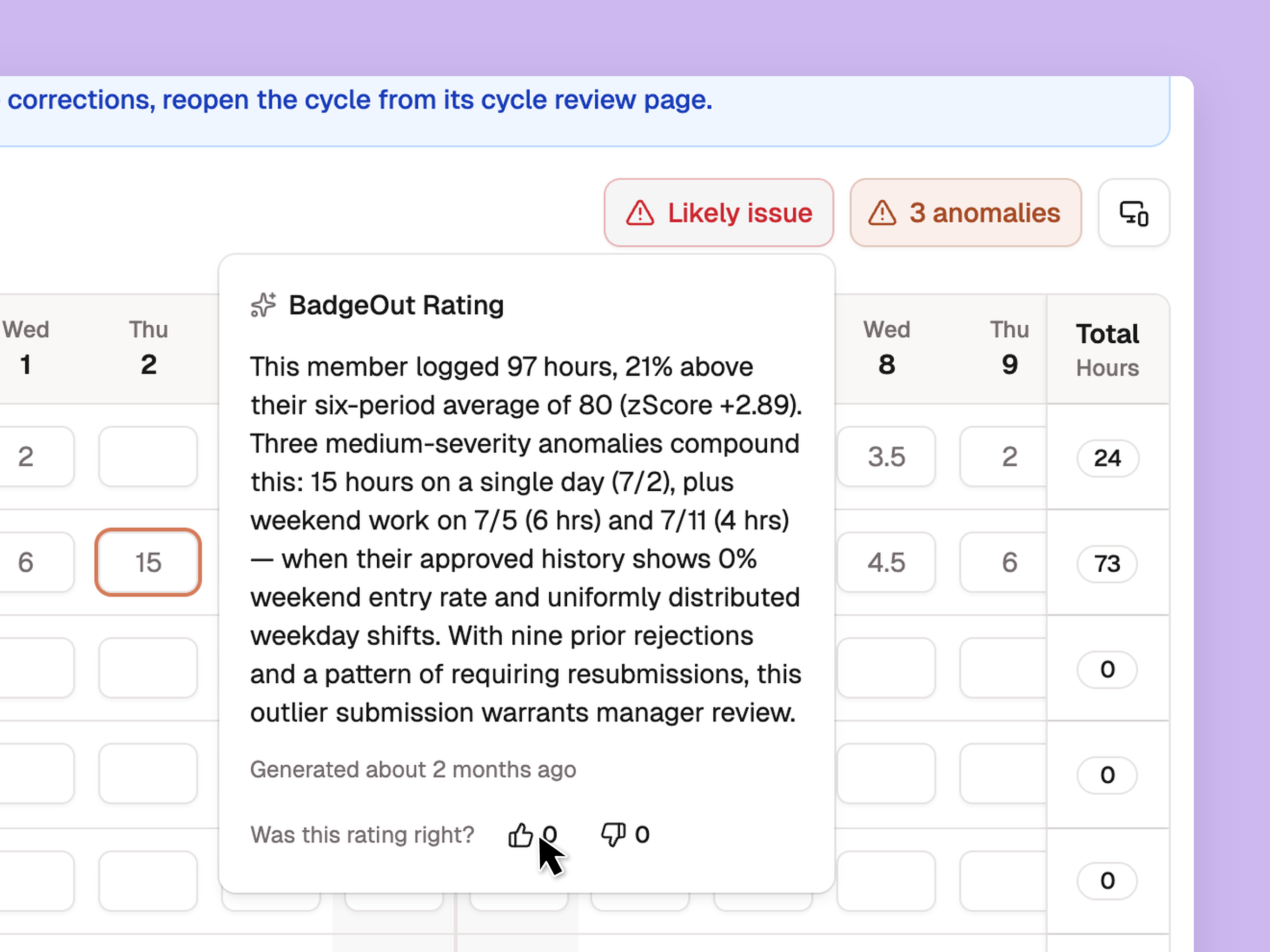
Open a timesheet from the queue and the verdict sits beside the anomalies button. Select it to read the full explanation, which names the specific days, codes, and history it drew on. The same badge and reasoning appear in the Approve dialog, so the verdict is next to the decision when you make it.
Each rating asks Was this rating right? with a thumbs up and a thumbs down. Each reviewer gets one vote and can change it. The votes are how we measure the rating's accuracy and decide what to tune next.
One switch per organization
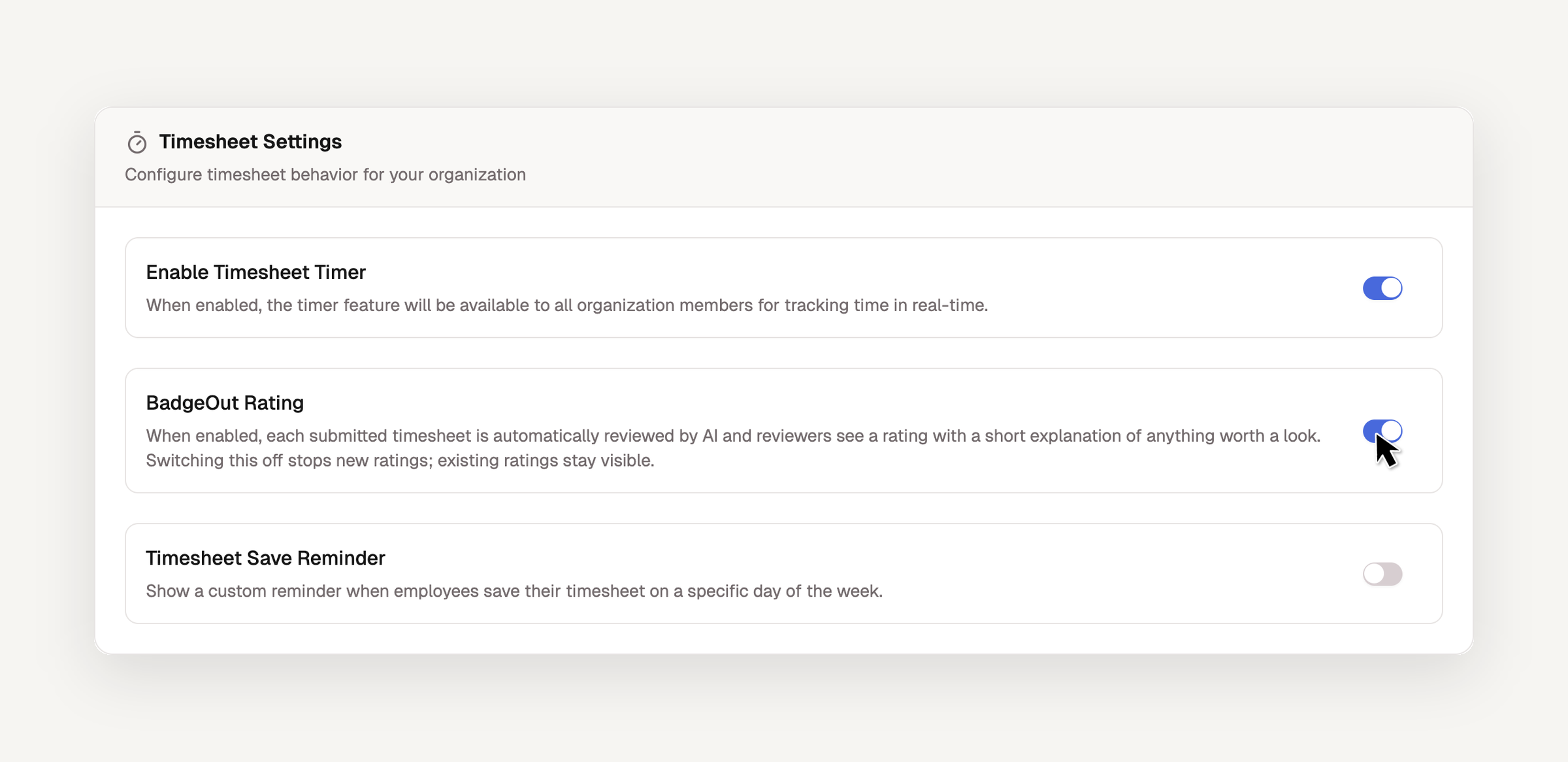
Administrators control the rating from Settings → Timesheet Settings → BadgeOut Rating. It is already on for every Plus organization. Switching it off stops new ratings and leaves the ones you already have in place.
Ratings are visible to reviewers, managers, and administrators. Members never see the rating on their own timesheet, and a reviewer never sees the rating on theirs.