
Pre-provisioning and deferred invites
Set a member up in full before they ever log in, and hold the invitation email until you're ready.
When you invite someone, BadgeOut creates their member record right away, not when they accept. That's pre-provisioning, and it means you can have someone fully set up, on the right contracts, with the right PTO, before they sign in for the first time.
A member exists before they accept
A new invitation creates a member with a status of Pending. The record holds everything you entered on the invite form, but it isn't tied to a login yet.
While a member is pending, you can pre-fill:
- Their role and whether a timesheet is required.
- Their Contract Period Assignments, which set the charge codes they log to.
- Hire Date, FTE, and PTO, including a starting balance and accrual rate.
All of it applies the moment they accept the invitation and sign in. Their first timesheet already shows the right charge codes, and their PTO ledger already reflects the balance you set.
Pre-provision someone before they join
Whenever you know about a hire before they're ready to log in, set them up now so nothing waits on their first day:
- Invite the member from Settings → Members → Invite Members, as in Inviting members.
- Assign their contracts and set their PTO on the same form.
- Send the invitation, or hold it (see below) until you want them notified.
When they accept, their access is already correct. There's no second setup pass.
Defer the invitation email
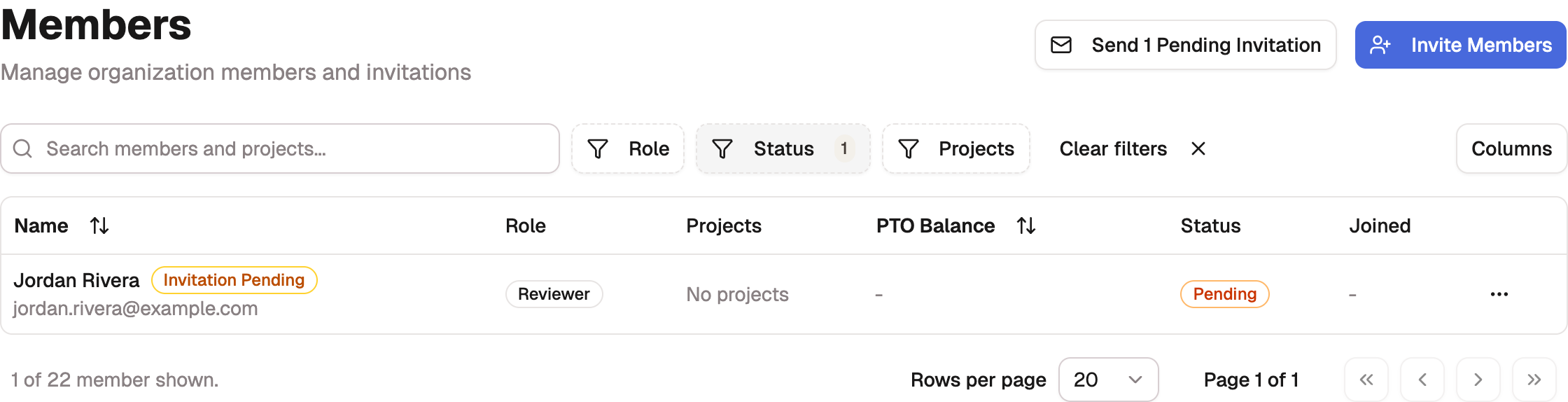
Deferring lets you create the member record now and send the invitation email later. The Defer invitation email toggle on the invite form controls this. With it on, BadgeOut creates the member but holds the email, and the submit button reads Create Member rather than Send Invitation. The new member shows on the Members page as Pending, the same as any invitation that's still waiting to be accepted.

When you're ready to bring people in, send the held invitations together:
- On the Members page, select Send Pending Invitations. The button shows the count, and appears only while invitations are waiting to go out.
- Choose who to notify.
- Confirm. BadgeOut emails each one their invitation link. They stay Pending until they accept.
Tip
Deferred invites are part of the Plus plan. On other plans the toggle doesn't appear, and every invitation is emailed as soon as you send it. You can still pre-provision members on any plan; you just can't hold the email.
Manage pending invitations
Every invited member shows as Pending until they accept, whether or not the email has gone out yet. The Send Pending Invitations button is what tells you how many are still waiting to be emailed. To act on one, open its row's ⋯ menu:
- Send Invitation emails a held invite, or sends a fresh link if the last one expired or went unanswered. Invitation links expire after 14 days.
- Cancel Invitation removes someone you added by mistake or who is no longer joining. The invitation link stops working right away.